User-agent: * Allow: / 2010-01-31

Sunday, February 7, 2010

Read This If YOu Computer Run SLowly

What are you computer run slowly ?,if yes there is many causes why your computer run slowly...

1.You too many installed Software
2.Antivirus Program
3.Memory CapaCity Low
and etc.....
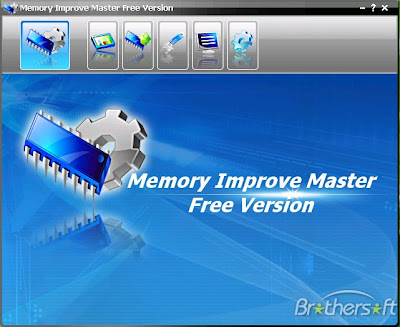
If Before I give you trick How to improve memory card problem and Now i will discuss How to Improve your memory capacity,for Improve your memory i suggest you to using Memory Improve MAster...

Memory Improve master is great tool for Optimize your computer memory works,which will keep your computer running better, faster, and longer.
beCause Sometimes computer system becomes slow because of large and heavy sized applications are running simultaneously, it takes more memory space and makes the system works slowly,and now you have to know why your computer run slowly.

Here is Some feature About Memory Improve Master

Memory Improve Master Free Version improves computer's performance by freeing memory. The software helps you, when:
  • Your Computer runs slowly
  • You Want to Optimize Memory
  • Computer crashes too frequently
  • No available memory sources in your system disk space.
Key features of Memory Improve Master Free Version:
  • Run in background and optimize memory periodically.
  • Free up memory immediately.
  • Compress memory to reclaim more available space.
  • Monitor the current memory of your PC.
  • Manage processes running on your computer.
Memory Improve Master Function List
Shareware Freeware
Run in background
Monitor the current memory of your PC
Manage processes running on your computer
Free up memory
Specify the key combination of free up memory
Compress memory
An intelligent learning module
Add the process into the Black List
Add the process into the White List
Add the process into the Smart List
Add the process into the Idle List
Change the automatic memory optimization settings
Set time interval for refreshing memory graph and process list
Updating online
Excellent customer care
Free email support for life

Above is for free version but you're can upgrade for get maximal result
Wanna this software you can go to this website for Download
And Now You can Speed up your computer but please give comment or critism by write comment after using this software....thank you
Added Use Panasonic Memory Formatter For Format MMC,SD,miniSD and etc For great result

Saturday, February 6, 2010

Aspen new Smartphone from Sony Ericsson


Sony Ericsson has just introduced a new smart phone Aspen, which brings the Windows Mobile operating system.

Phone labeled 'GreenHearth' This is the first WinMo phone Sony Ericsson is using qwerty candybar design, not a slider. At first glance look like Symbian phones Nokia E61 or E71, just seem more 'well'.

Aspen positioned to target the business market, with the windows operating system support for the latest mobile,Download this Software here. Also, stuffed with a variety of features and a very powerful facility to support the activity. This includes multimedia features such as enhanced PlayNow and mediabrowser.

As already mentioned above, Sony Ericsson Aspen adopt a similar design format of the Nokia E71 business phone or BlackBerry, which has proved quite successful in the market. Convenience sector also seems to be a priority, which presents the curva-friendly design in hand.

Aspen supported 900/2100 HSPA technology and EDGE 850/900/1800/1900, including WiFi and Bluetooth. For a GPS navigation action, which includes Google maps.

Side pin 3.2 MP camera, which provides 4x digital zoom, multishot feature, selftimer, smart contrast. Aspen is also equipped with 3D games and FM radio (RDS). There is also a 3.5-mm audio port, which can be used to expand the musical experience possible users.

Display berdiagonal Aspen using 2.4-inch LCD, with the sharpness of the display 65,536 colors, at a resolution of 240x320 pixels. The plan would be present in the market in two color variants, Iconic black and white silver. 2nd quarter began to be marketed in 2010.

brief specification:
dimensions: 11.7 x6x1, 245 cm
weight: 130 gr
ext.memory: microSD card (up to 16GB)
OS: Windows Mobile 6.5.3
Music listening: up to 12 hours

Monday, February 1, 2010

Nexus One the Smartphone Product from Google

The Nexus One is a smartphone from Google that uses the Android open source mobile operating system. The device is manufactured by Taiwan's HTC Corporation, and became available on January 5, 2010. Features of the phone include the ability to transcribe voice to text, noise canceling dual microphones, and voice directions while driving.

Phone Feature

Hardware
The phone features a 5.0 megapixel auto-focus camera with LED flash and digital zoom, GPS receiver, Bluetooth 2.1 + EDR, and 802.11b/g WiFi capabilities.The Snapdragon processor allows for many advanced capabilities including 720p video playback.There is built in hardware decoding for H.263, H.264 and MPEG-4 video, and is capable of playing MP3, AAC+, Ogg Vorbis, WAV, and MIDI audio, and displaying the JPEG, GIF, PNG, and BMP image formats. It has a micro USB port instead of the common mini-USB port, or HTC's mini-USB compatible format (ExtUSB). The microSD card slot allows expansion up to 32 gigabytes of card storage. Applications can only be installed to the 512 MB internal flash memory, of which 190 MB are available for that purpose. During unveiling, it was mentioned that Google may eventually lift this restriction after addressing security issues.

A third party analysis by iSuppli estimates the cost of hardware components to be around $175.

Celular Provider
The phone's radio circuitry covers most major GSM and 3G providers in the US, Europe and Asia, with the notable exception of the 850MHz and 1900MHz UMTS 3G bands used by AT&T (of USA), Bell Mobility, Telus,[25] and Rogers (of Canada), Movistar (Latin America), Telcel (Latin America), Telstra Australia's Next-G and all carriers in Latin America. Because the phone lacks these frequency bands, it is not compatible with the 3G networks of any of the above carriers, although 2G can be used. Although, when used with Telstra, the phone is also able to roam on 3's 2100MHz 3G network, before being forced to use 2G.

The GSM radio frequencies covered are 850, 900, 1800, and 1900 along with UMTS frequency bands 1 (2100MHz), 4 (1700MHz), and 8 (900MHz).

The Nexus One runs the Google Android 2.1 operating system. The 2.1 firmware version of the Android operating system adds a few aesthetic changes such as "Live Wallpapers" which are animated in the background and react to different user inputs. By December 2009 Android-based phones have access to more than 20,000 applications through the Android Market.

Hacking and Modifications

Users are able to root the device by unlocking its bootloader using the fastboot command "fastboot oem unlock".Unlocking the bootloader allows the user to install other firmware images that give the user root access, and even other bootloaders. Obtaining root privileges enables a user to override protected operating system features, install arbitrary software and enable internet tethering to share the phone's 3G network connection via a wireless LAN, among other things. Upon running the fastboot command, the user is presented with a Google-created screen stating that unlocking the bootloader will void the warranty.

What about You guys,Do you want try Nexus One?

Source : wikipedia
Recent Posts Plugin for WordPress, Blogger...

Other Article